
Project Journey
The new Project Journey guides you through all the key phases and milestones of a project, showing you what has been completed, what is pending and what comes next.
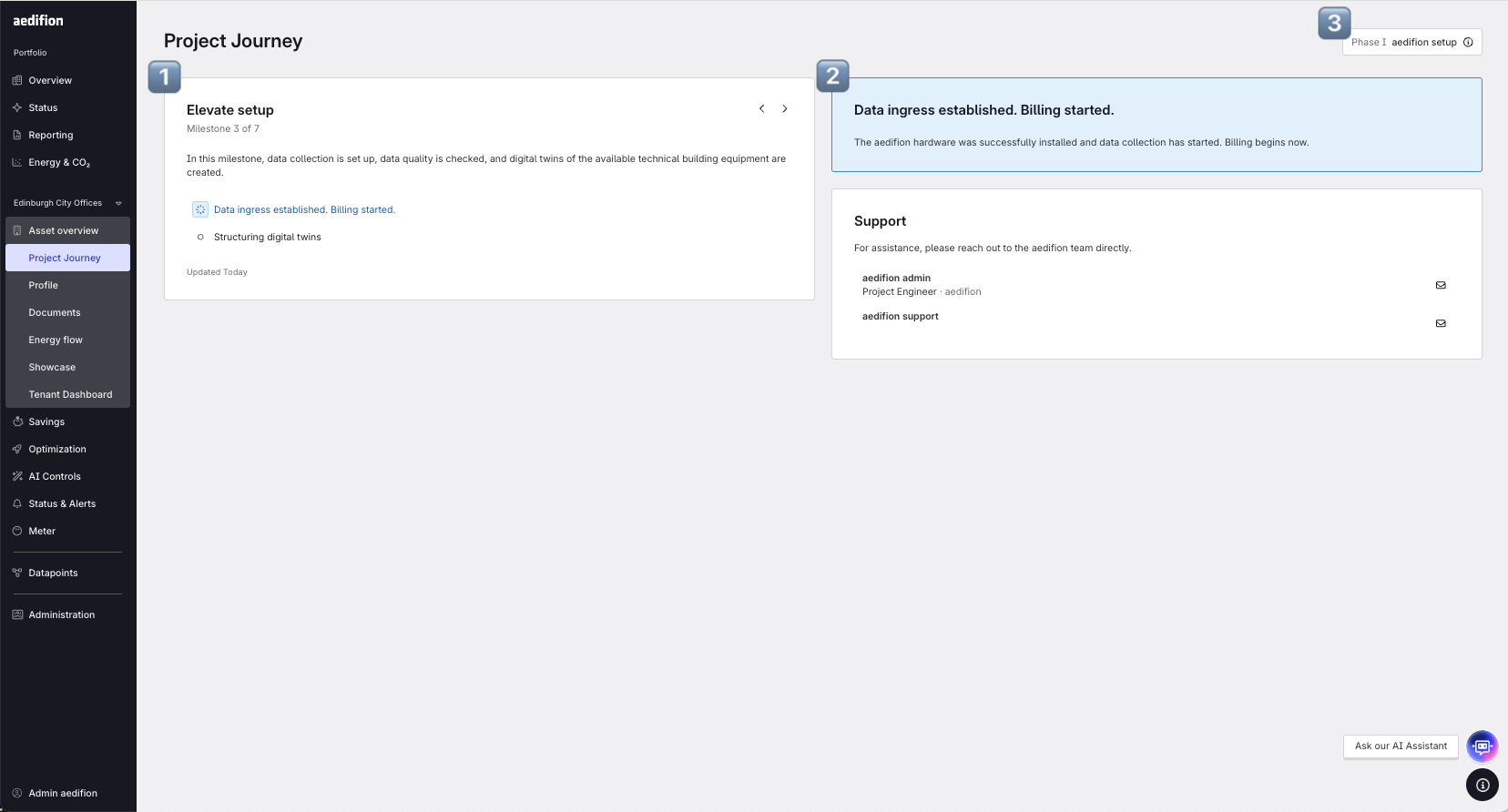
1️⃣ Progress overview: See an overview of the milestones, as well as an overview of upcoming and past meetings, and navigate your entire project journey to get a quick preview of what’s ahead.
2️⃣ Curious about the next meeting? Go through the content, goals, and agenda associated with the upcoming meeting.
✅ Check open tasks: Whenever we need your input for a meeting, you’ll see exactly what’s due and what needs your attention. For other processes, we’ll point you directly to where you can track progress.
3️⃣ Phase summary: Tap to view key details for the three phases at the highest level.
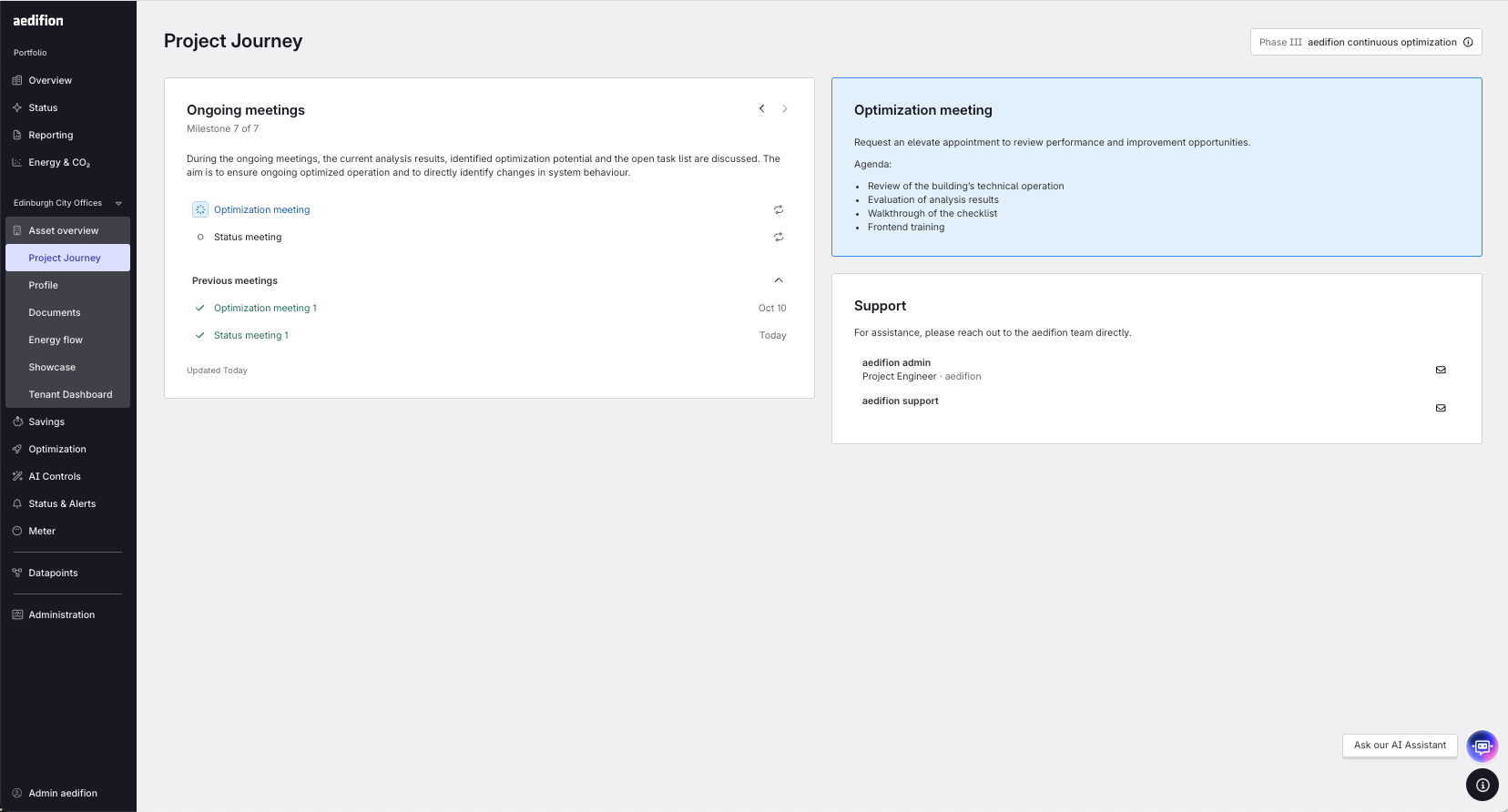
Meeting status at a glance: See immediately whether the next recurring meeting has been scheduled (shown in blue) or not. No action needed, the system will notify you automatically once a meeting is confirmed.
Review previous instances of recurring meetings: Access completed meetings right inside the sub‑stage, including key details for quick reference and continuity.
Need additional support? Get in touch with your aedifion representative or contact support.